
Can you change a QR link after printing? Check what was encoded
Identify whether you control the encoded address before deciding whether a reprint is necessary.
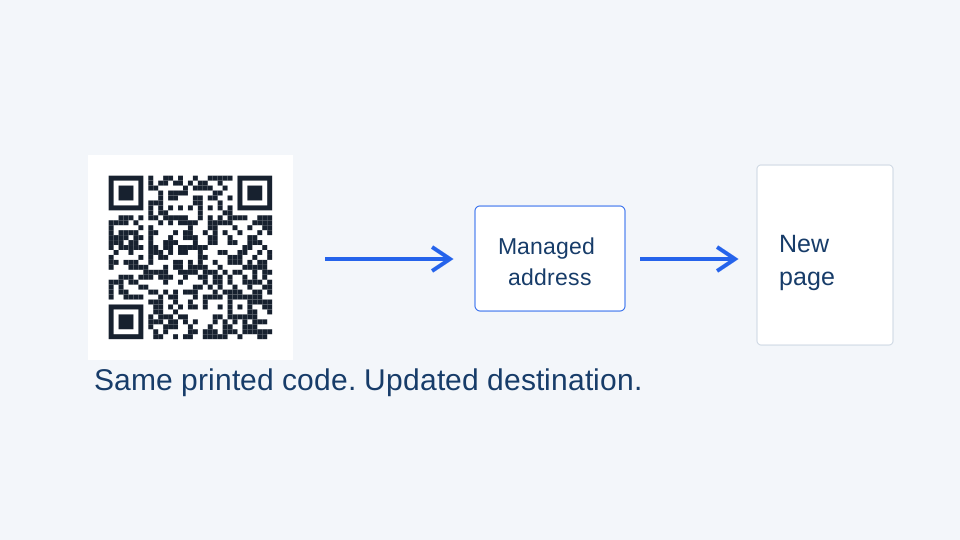
A printed QR code cannot receive a software update. What can change is the response at the address already inside it. Before editing anything, decode the existing image and write down that exact address.
Three different situations
- A static code contains a page you control. You can update that page, or configure a redirect on that same address if your hosting supports it.
- A dynamic code contains a managed redirect. Edit its destination through the account that controls that redirect, then test the printed code.
- The encoded address belongs to a service or domain you cannot control. Creating a new account or buying another domain cannot alter that address inside the printed code.
Update the right workspace record
In QRCodeTransfer, open the dynamic QR code in its workspace, review its current destination and save the replacement. The managed scan URL stays the same. Confirm the record’s status and permissions if the action is unavailable. Static asset content is intentionally immutable; changing its name or appearance does not rewrite an already printed payload.
For a PDF replacement, upload and verify the new file before switching the QR destination. Keep the previous file until the new path has been checked. This avoids leaving printed material pointing at an unfinished upload.
Test the old print, not just the new page
Scan an original card or package after saving. Follow the complete chain to the final page, including any redirects controlled by the destination website. Check on a phone without your administrator session: a page that opens only while you are signed in may be unsuitable for visitors.
Plan the next print run
Use descriptive names and tags so the correct campaign is easy to find. Save a record of the scan URL with the approved artwork. If several products have different destinations, review a mapping file before changing them in bulk; a shared layout does not imply a shared destination.
For a new batch, create the dynamic codes first, then use the print studio to place those workspace codes in labels. If you paste direct URLs into CSV instead, those values are encoded as supplied. Choose the update strategy before printing rather than trying to retrofit it afterward.
See the existing destination editing guide for the core workflow, and use the image scanner to inspect an old file before deciding whether it can be reused.