
GTIN
Products and trade items
Create a product QR link with a fixed identifier and an online destination you can maintain.
PDF, up to 20 MB
Sign in to host your PDF and update it without reprinting.
Address is not included in the QR code.
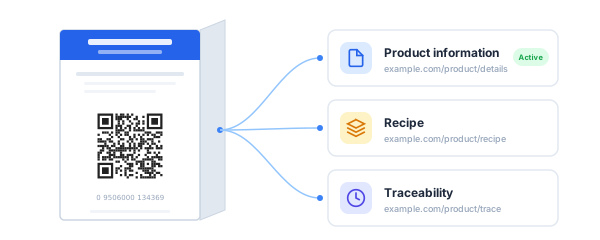
Add different resource types and choose which one opens when the QR code is scanned.
Square or circle PNG/JPEG, up to 1 MB
A product identifier stays in the printed link while the destination can change.
Products and trade items
Logistics units
Physical locations
Organizations
Documents
Coupons
Consignments
Shipments
Returnable assets
Individual assets
Trade item pieces
Components and parts
Product models
Service providers
Service recipients
Start with your assigned identifier and add supported batch, serial or expiry qualifiers. Point the link to product information, instructions or another maintained resource. Validate the final URI before using it on packaging.
A general URL QR code can store a web address. A GS1 Digital Link also carries structured identification in its path. QRCodeTransfer keeps that identity fixed after creation while allowing the destination to change.
Use an identifier legitimately assigned to your product or organization. This tool checks input format; it does not issue or certify GS1 identifiers.
The identifier is part of the printed link and cannot be changed after creating this code. You can update the destination.
No. Confirm packaging and supply-chain requirements with GS1 and your trading partners before using a code in production.